Keep the Review
Inside the Platform.
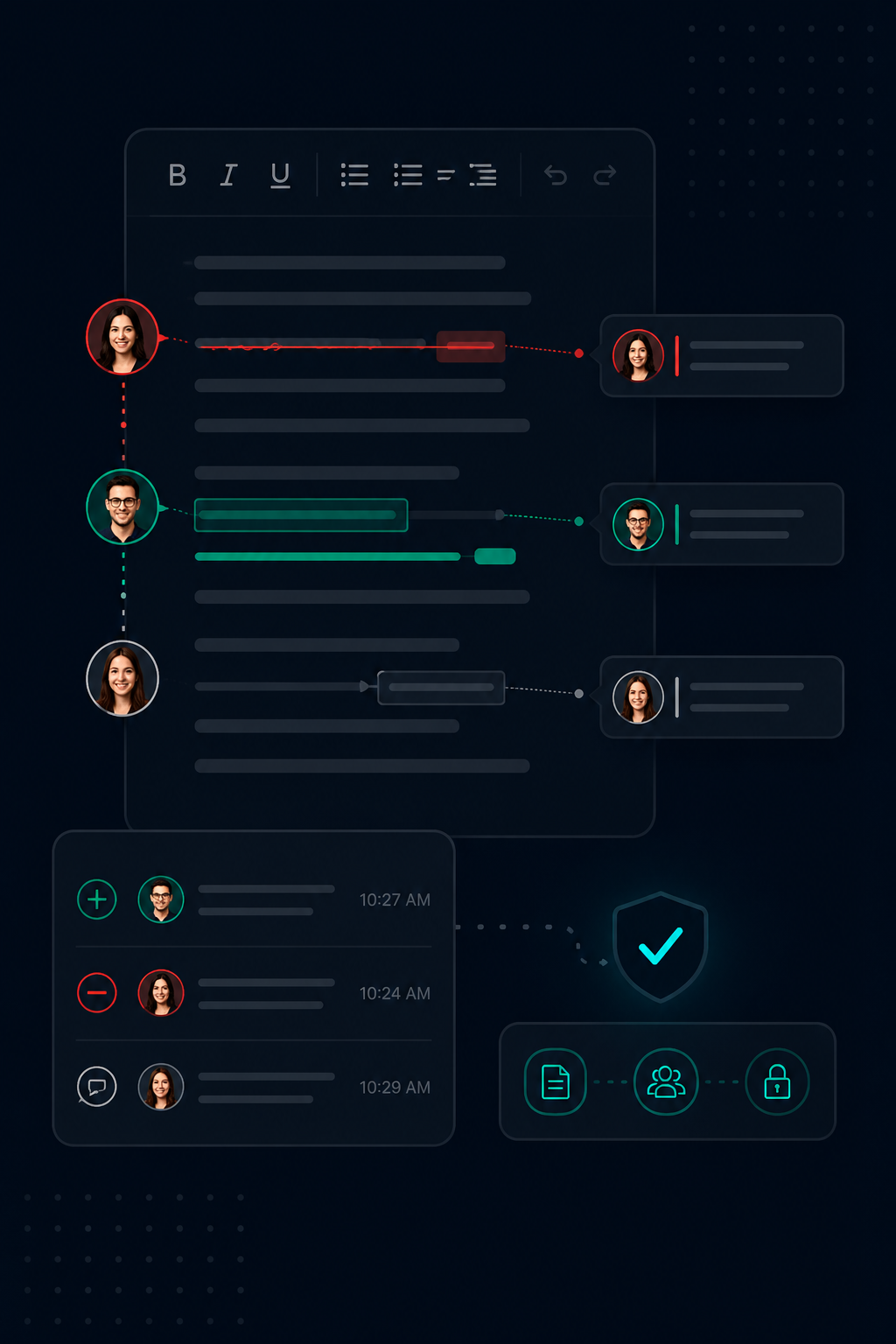
Track Changes lives on the findings and briefs themselves, not in a Word doc that loses the audit trail at export. Every edit is attributed to its author and timestamped. Reviewers accept or reject inline. QA Approval is held until every change is resolved.
Your Audit Trail Ends the Moment
You Click Export.
By delivery time, three people have edited the report in Word and somebody is retyping their changes back into the platform. Comments live in margins nobody opens after review is done.
The audit trail does not survive the trip. Who softened that finding. Who downgraded that severity. Who signed off on the executive summary. None of it is recoverable from the PDF you handed the client.
Senior reviewers leave notes in chat. Junior testers retype edits from a track-changes Word doc back into the platform. Half the QA cycle is reconciling versions instead of catching issues.
If you cannot reconstruct the review, you cannot defend the report.
Track Changes. Built Into the Engagement.
Neuron Track Changes lives inside the same editor your team writes findings and briefs in. Every insertion, deletion, and formatting change is attributed and timestamped. Review happens on the findings and briefs themselves, not in a Word doc after export.
Every Edit Attributed and Timestamped
Insertions, deletions, and formatting changes carry the author's name and exact timestamp. No more guessing who softened the wording.
Accept or Reject Inline
Reviewers work the document directly. Accept and reject one change at a time or in bulk. No side-by-side viewer, no exporting to Word for QA, no retyping.
Locked On During Review
Once a finding or brief enters review, Track Changes stays on until approval. The audit trail is not optional during the part of the process where it matters.
Approval Gate Blocks Unresolved Edits
Findings and briefs cannot be approved while tracked changes or inline comments remain unresolved. Reviewers see the count before they sign off.
Full Revision History With Restore
Every accepted version is snapshotted. Roll back to any prior state from the revision panel. The current draft is saved first so nothing is lost.
Across Findings, Briefs, and Library Variants
The same review surface covers the findings library, narrative briefs, and library assessment scope variants. One workflow, one audit trail, every deliverable.
Draft. Review. Sign-Off.
Track Changes follows the QA workflow your team already runs.
Draft on the Engagement
Authors write findings and briefs directly in Neuron. Edits flow with the engagement data.
Review With Changes Tracked
Submit for review and Track Changes locks on. Reviewers accept or reject inline. Comments stay with the section they belong to.
Approve When Everything Is Resolved
The approval gate counts unresolved changes and comments. Sign-off only happens when the count is zero. The full history stays with the report.
More Feature Spotlights
Playbooks
Run your methodology against an assessment and track coverage as the work happens. OWASP WSTG, PTES, NIST 800-115, or your own.
Retests
A retest as a record. Independent dates, scope, ownership, and evidence trail per round.
Echo Up
Drop files onto a target box from just the shell you already have. Bash, CMD, or PowerShell.
Briefs
The library for executive summaries, scope, and methodology. AI first pass on your engagement data.
Engagement Scheduling
The schedule lives where your engagements live. Drag to move, drop to reassign.
Findings Library
AI that pulls from your team's approved library instead of generating from scratch.
AI Reporting
On-premise AI for pentest reporting. Inference stays inside your network.
QA Pipeline
Finding-level QA built into the engagement workflow.
Workflow Integrations
Push findings into Jira and ServiceNow.
Collaborative AD Graphing
Multiple testers on one AD attack graph.
AD Attack Paths
Per-engagement AD datasets and attack graphs.
Client Portal
Structured finding delivery with live visibility.
Ready to Transform Your Security Practice?
See how Neuron helps security teams replace fragmented tools with a single platform for offensive security—bringing structure, visibility, and consistency to every engagement.
Platform